Quick Start Guide
Ready to clean your first email list?
Good. Because you're about to go from "I have a messy email list" to "I know exactly which emails are safe to send" in about 5 minutes.
This guide walks you through everything—from creating your account to downloading your verified results. No fluff, no complicated setup, just the steps you need to get started.
Let's do this.
Create Your Account
First things first: you need an account.
Head over to Valid Email Checker's sign up page and you'll see the signup form.
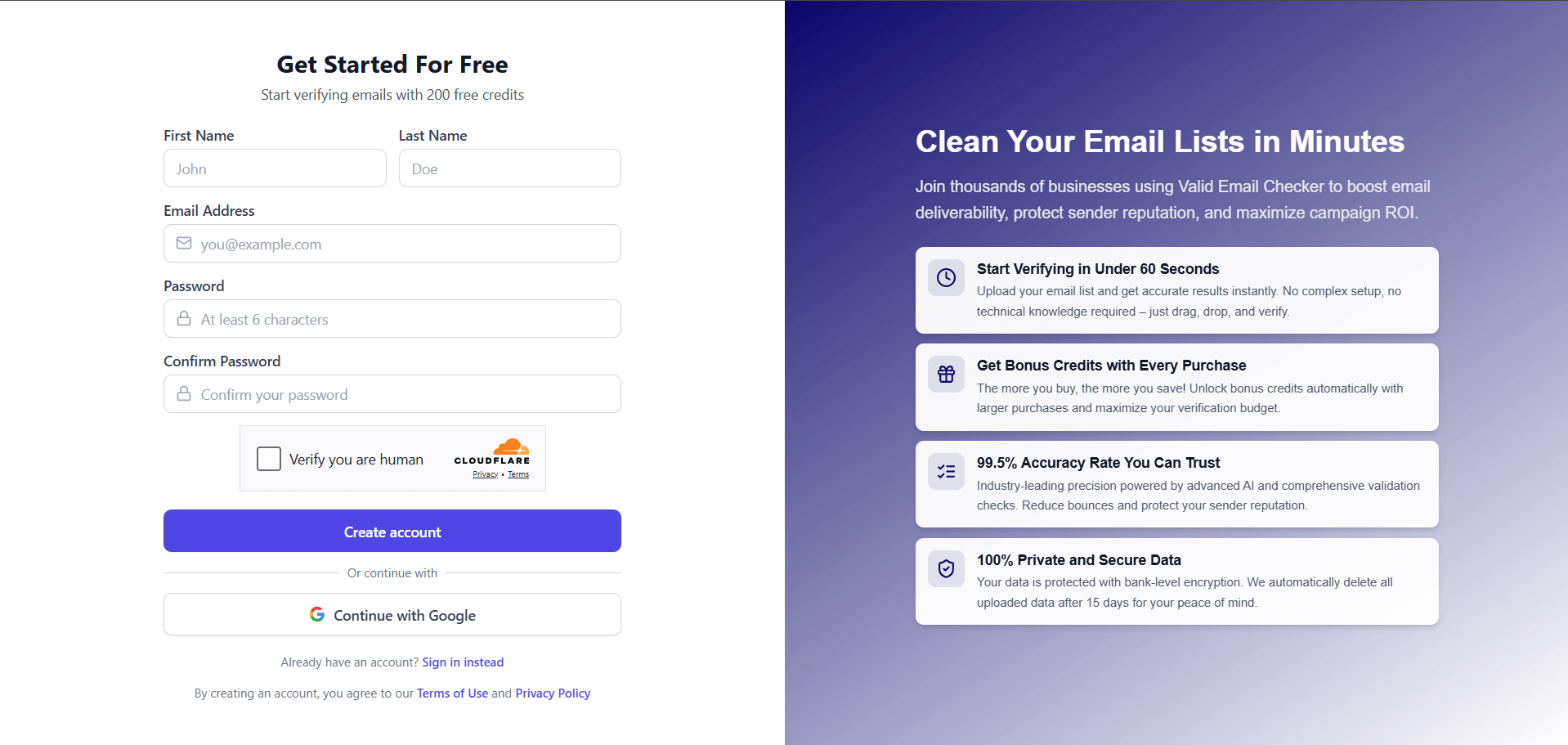
Here's what you need to fill in:
- First Name – Your first name
- Last Name – Your last name
- Email Address – Use a real email you have access to (you'll need to verify it)
- Password – Choose something secure
- Confirm Password – Type it again to make sure there are no typos
Once you've filled everything out, click Create account.
Want to skip the form? Click Continue with Google to sign up instantly using your Google account. Same result, fewer fields.
That's it. Your account is created. But hold on—you're not done yet.
Confirm Your Email
Here's where a lot of people get tripped up. You've created your account, but you can't log in yet.
Why? Because you need to verify your email address first.
After clicking "Create account," you'll see a screen like this:
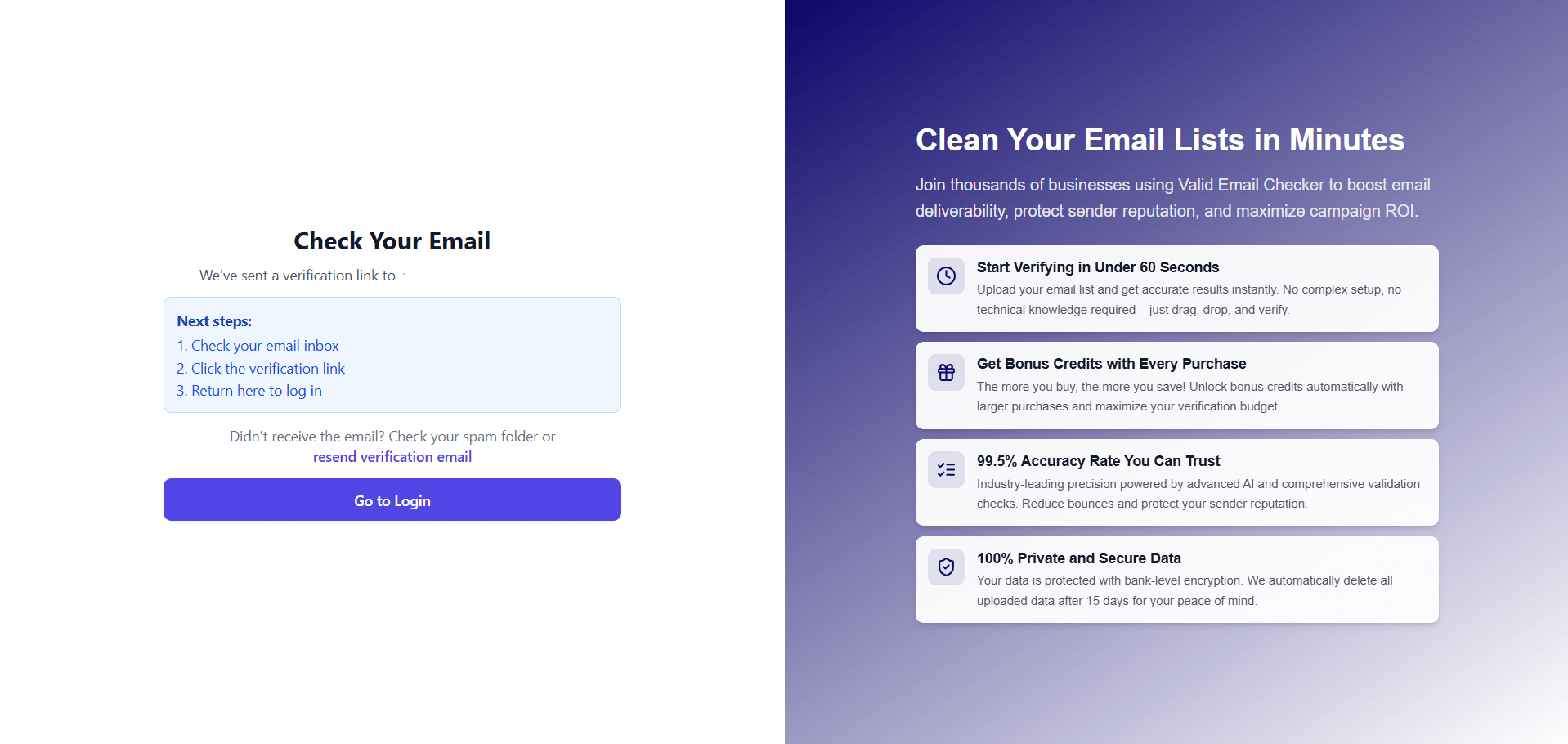
Now go check your inbox. You'll receive an email from Valid Email Checker with a verification link inside.
Can't find it? Check your spam or junk folder. Sometimes email providers get a little overzealous.
Still nothing? Click the resend verification email link on the signup page to get a fresh one.
Once you find the email, click the verification link. That's it—your email is confirmed.
Here's what happens next:
- You'll be redirected to the login page
- You'll see a success message confirming your email has been verified
- Now you can actually log in
Why Do We Require Email Verification?
Fair question. We're an email verification company—so yeah, we practice what we preach.
But there's more to it:
- Security – It confirms you own the email address you signed up with
- Abuse prevention – It stops bots and bad actors from creating fake accounts
- Communication – It ensures we can reach you with important account updates
- Your free credits – We add 200 free credits to your account after verification
No verification = no login = no credits. So take the 30 seconds to confirm your email. It's worth it.
Log In to Your Dashboard
Now that your email is verified, it's time to log in.
Head to Valid Email Checker's login page and enter:
- Email Address – The email you registered with
- Password – The password you created
Click Log in, and you're in.
It happens to the best of us. Click the Forgot password? link on the login page, enter your email, and we'll send you a reset link. Follow the instructions, create a new password, and you're back in business.
Welcome to Your Dashboard
Once you log in, you'll land on your dashboard. This is your home base for everything email verification.
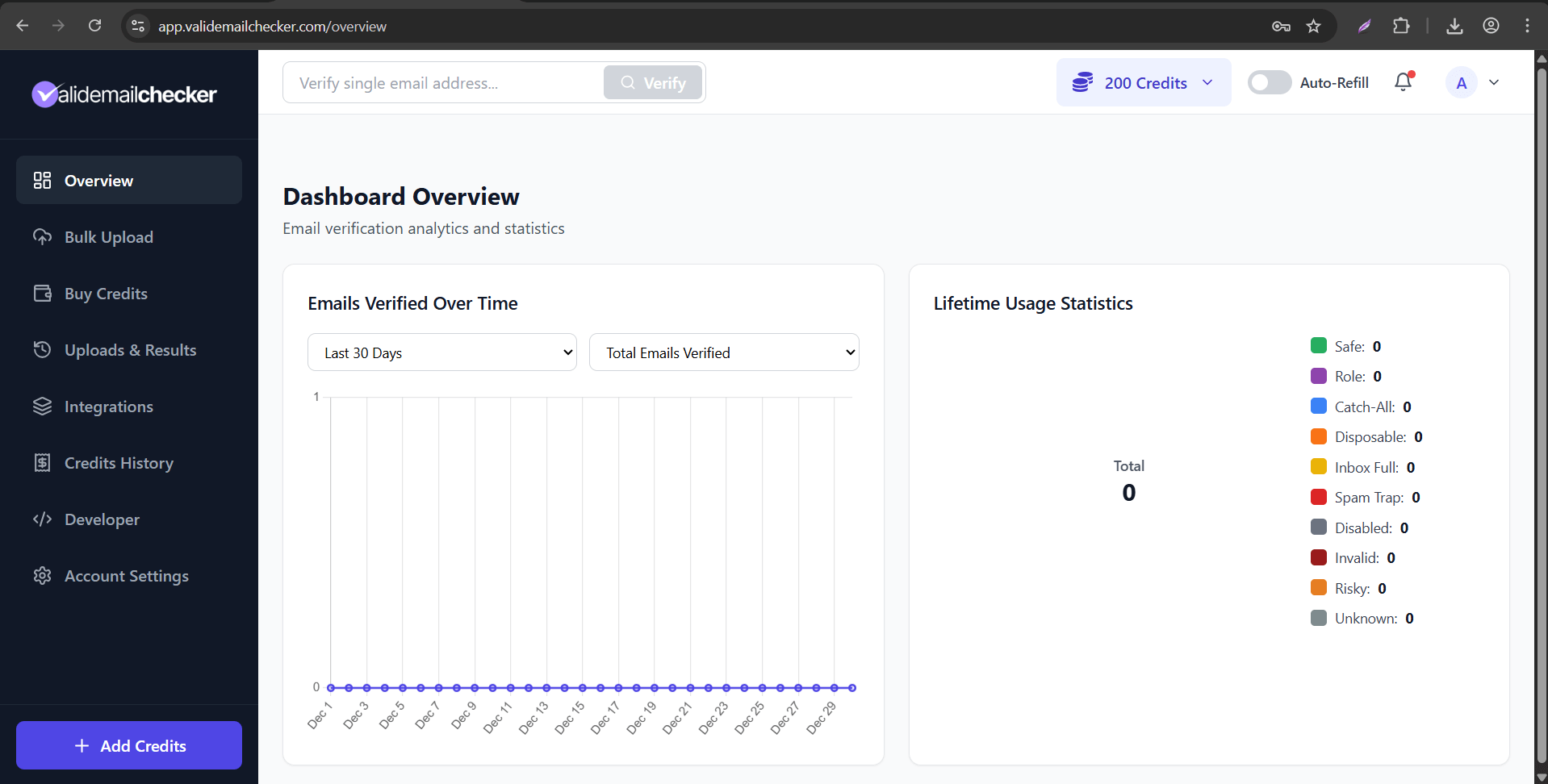
Here's what you're looking at:
Top Navigation Bar
- Single email verification – Verify one email instantly by typing it in the search bar
- Credits balance – See how many credits you have (you should see 200 free credits!)
- Auto-Refill toggle – Automatically buy more credits when you run low
- Notifications – Stay updated on your verification tasks
- Account menu – Access your profile and settings
Left Sidebar Menu
- Overview – Your dashboard home with verification stats and charts
- Bulk Upload – Upload a file to verify multiple emails at once
- Buy Credits – Purchase more credits when you need them
- Uploads & Results – View all your verification tasks and download results
- Integrations – Connect your email marketing platforms
- Credits History – Track your credit usage over time
- Developer – Access API keys and documentation
- Account Settings – Manage your profile, password, and preferences
Main Dashboard Area
- Emails Verified Over Time – A chart showing your verification activity
- Lifetime Usage Statistics – A breakdown of all the emails you've verified by result type
Take a minute to click around and explore. When you're ready, let's verify some emails.
Verify Your First Email
Alright, this is the fun part. You've got 200 free credits burning a hole in your account. Let's put them to work.
You have two options:
Option 1: Single Email Verification
Need to check just one email? Maybe you want to verify a lead before adding them to your CRM, or you're suspicious about an address someone gave you.
Here's how:
- Look at the top navigation bar on your dashboard
- Find the search box that says "Verify single email address..."
- Type (or paste) the email address you want to check
- Click the Verify button
Boom. In a few seconds, you'll see the result—whether the email is Safe, Invalid, Risky, or something else.
One credit, one verification, instant answer.
Option 2: Bulk Email Verification
Got a whole list to clean? This is where Valid Email Checker really shines.
- Click Bulk Upload in the left sidebar
- Drag and drop your file (or click to browse)
- Click Verify Emails
Supported file formats:
- CSV
- TXT
Once you click verify, you'll be redirected to the Uploads & Results page where you can watch your verification in progress.
How long does it take? Depends on the size of your list. A few hundred emails? Seconds. Tens of thousands? A few minutes. We process lists fast—really fast.
Before uploading, make sure your file has a column header for the email addresses (like "Email" or "Email Address"). This helps our system automatically detect which column to verify.
→ Learn more about Bulk Email Verification
Download Your Results
Your verification is complete. Now let's grab those results.
Viewing Your Results
- Go to Uploads & Results in the left sidebar (you're probably already there)
- Find your verification task in the list
- Click to view the results
You'll see a detailed breakdown of every email in your list, categorized by result type:
- Safe – Good to send
- Invalid – Remove these
- Role – Proceed with caution
- Catch-All – Delivery not guaranteed
- Disposable – Likely fake signups
- And more...
Downloading Your Results
Ready to export? You've got options.
Click the download button and choose your format:
| Format | Best For |
|---|---|
| CSV | Most email platforms, spreadsheets, general use |
| XLSX | Excel users who want formatted spreadsheets |
| JSON | Developers integrating with other systems |
| TXT | Simple text file with email addresses |
Pick the one that works for your workflow, and your file will download instantly.
What About Your Original File?
We keep your uploaded files and results for 15 days. After that, they're automatically deleted for your privacy and security.
Need to remove a file sooner? No problem. Click the delete icon next to any task to permanently remove it along with all associated data.
→ Learn more about Downloading Results
What's Next?
You did it. You've created your account, verified your email, logged in, cleaned a list, and downloaded your results.
Not bad for a few minutes of work.
But you're just getting started. Here's where to go from here:
Explore Your Results
Understand what each result type means and how to handle them. → Result Types Explained
Connect Your Tools
Stop exporting and importing. Connect Valid Email Checker directly to your email marketing platform. → View Integrations
Learn the Dashboard
Get the full tour of every feature and setting. → Dashboard Overview
Understand Your Credits
Learn how the credit system works, including rollover credits and bonus credits. → Credit System
Use the API
Building something custom? Our API lets you verify emails programmatically. → API Quick Start
You're all set. You've got the tools, you've got the credits, and now you know how to use them.
Go clean some lists. Your sender reputation will thank you.